

Delete for everyone

  • langconvert.admindashboard.lastcreatedon Sep 22, 2026
  • 7192
0 0

Remote_delete-ios-cropped.png    Remote_delete-android-cropped.png

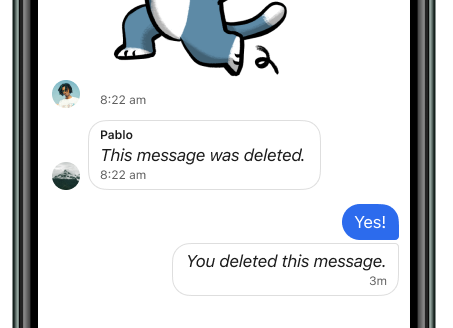
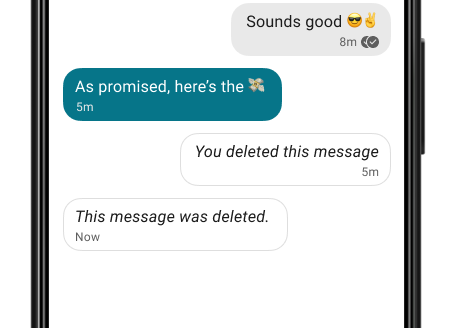
Accidentally send a message to the wrong chat? Take backs are permitted. When deleting a recently sent message, you now have the option to delete for everyone in the chat.

To delete messages for everyone in the chat:

This is a best effort to delete messages on all devices that received it in that specific chat. Quoted replies are not deleted.

  1. Open the chat.
  2. On mobile:
    • Tap and hold on a message that you have sent within the past 3 hours.
    • Tap delete TrashCan.png.
  3. On desktop:
    • Hover to the inside of the message bubble that you have sent within the past 3 hours.
    • Select more desktop_info_icon.png.
  4. Select Delete for everyone.

What do I do if I only see the option to delete for me?

  1. Confirm you're selecting a message you have sent.
  2. Confirm it is less than 3 hours since you have sent the message. 
Views:7192

Recent Articles

  • Register a phone number
    1972
  • Delete Account
    1420
  • Troubleshooting multiple devices
    1982
  • Delivery Issue
    1228
  • Disappearing Messages with a Linked Devi...
    1233

Popular Articles

  • Delete for everyone
    7192
  • What is a safety number and why do I see...
    6049
  • Installing Sirkuni
    5546
  • Sirkuni Profiles and Message Requests
    2452
  • Does Sirkuni send my number to my contac...
    2177
;